Most investment teams have already tried it. Upload an offering memorandum to ChatGPT or Claude, ask for the key numbers, paste the output into a spreadsheet. For the first few deals, it works well enough.
Then deal number ten lands. Different broker, different format. The AI returns cap rate as "5.25%" in one extraction and "0.0525" in the next. The unit mix comes back as a paragraph instead of a table. The comps are buried in a wall of unstructured text. Suddenly, your analyst is spending twenty minutes reformatting output that was supposed to save them time.
We hear this story from every firm that has tried the DIY approach. The problem is not the AI itself. The problem is that a general-purpose chatbot has no understanding of what a commercial real estate offering memorandum actually requires.
The issue of formatting
Every brokerage formats their OMs differently. CBRE does not look like JLL. JLL does not look like Cushman. A multifamily OM with 200 units demands completely different parsing logic than a single-tenant industrial warehouse.
When you upload to Claude or ChatGPT, you get one generic approach regardless of property type. The model does not know that multifamily deals need unit mix arrays (2BR/1BA: 45 units) while industrial deals need clear heights and dock door counts. It does not know that "$4.5M" should become 4500000 in your model, not a string with a dollar sign. It doesn’t know that phone numbers from the contacts page should be standardized to +1 format.
So you build that knowledge into your prompts. Every analyst builds their own version. Different prompts, different output, different quality. At 50 OMs a month, this is not a workflow. It’s chaos.
How the Locate Alpha OM Scanner works
We built a purpose-driven system that reads offering memoranda the way an experienced analyst would, not the way a chatbot does. Here is what happens under the hood when you upload a PDF.
Reading the document three different ways
Not every PDF is created equal. Some are clean, searchable documents straight from the broker's design team. Others are scanned copies someone photographed with their phone on a conference table.
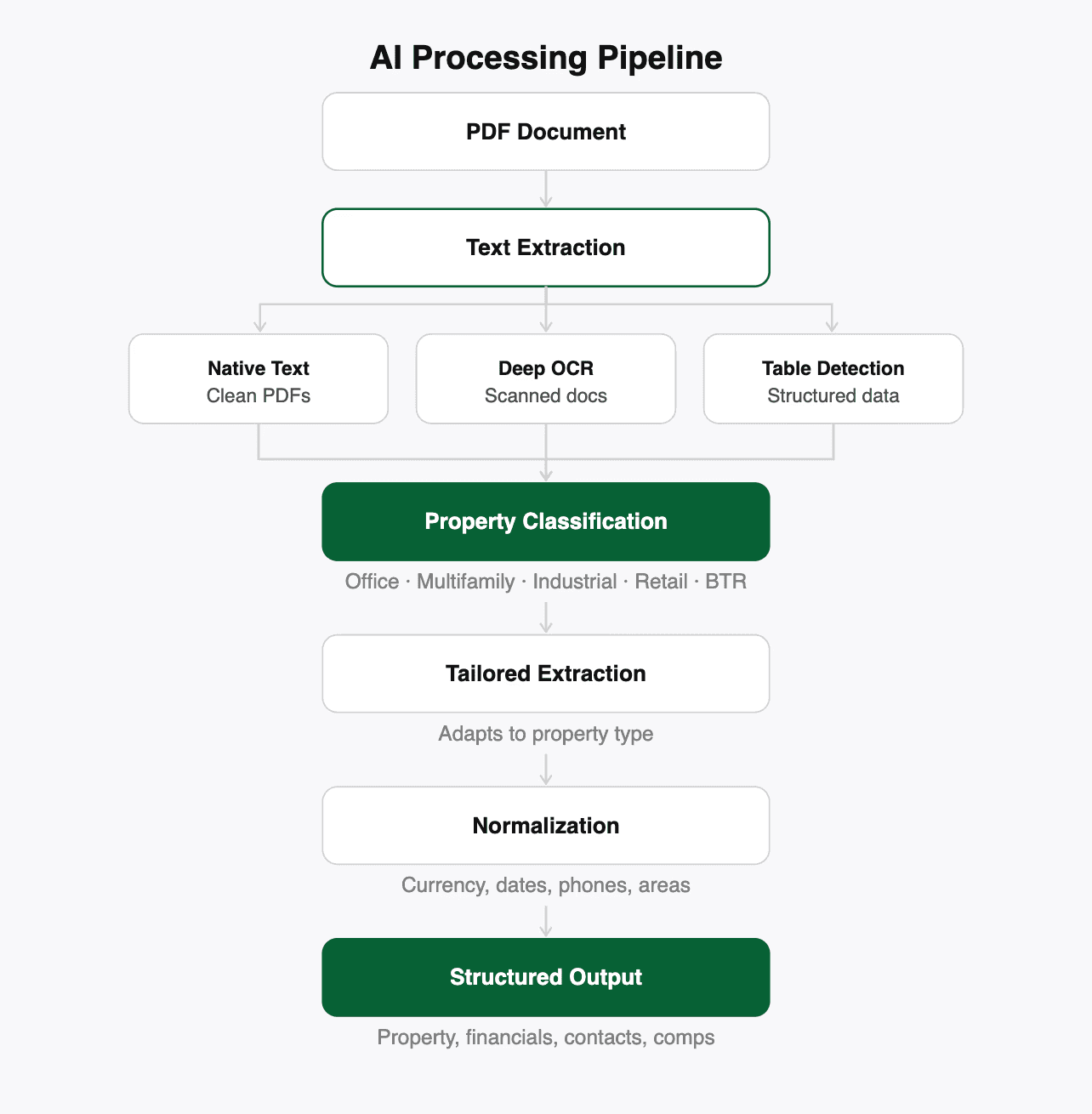
Our pipeline starts with native text extraction for clean PDFs: fast, accurate, and no AI needed. If the document is scanned or degraded, it falls back to deep learning OCR that reconstructs text from the image. The part that matters most: tables get detected and extracted separately. A comp table or rent roll embedded in an OM is recognized as a table, isolated, and processed with its row and column structure intact, rather than compressed into a single paragraph of text.
The DIY approach gives you one method. If the PDF is scanned, you are stuck.
Classifying property type before extraction
Before pulling a single data point, the system classifies the property type: office, multifamily, industrial, retail, or build-to-rent. This classification determines which extraction strategy runs next.
A multifamily OM triggers unit-mix-aware extraction that outputs structured arrays — bed count, bath count, unit count per type. A commercial property triggers extraction tuned for square footage ranges, lease structures, and tenant information. The prompts, the expected fields, and the normalization rules all adapt to the property type.
This is the kind of optimization that only develops after parsing hundreds of OMs across every property type. It is not something you can replicate in a one-off chat session.
Normalizing every value, every time
When the system extracts data, it applies consistent normalization rules across every document: "$4.5M" becomes 4500000, "5.25%" becomes 5.25, Q2 2024" becomes 2024-04-01, even square footage ranges fill both min and max fields. Always.
Same schema, same format, regardless of which broker produced the OM or which analyst uploaded it. Your downstream models never break because of inconsistent formatting. With a chatbot, you might get "$4.5M" one time and "4,500,000" the next. Your Excel model does not care for your AI's creativity.
Structuring comparable properties
When the system finds sale or lease comps in an OM, it extracts them into the same structured format as the subject property, with the same fields and normalization linked to the subject in the database. If a comp is missing city and state (common when the OM assumes context), the system infers it from the subject property.
With AI, comps come back as prose. "The nearby property at 123 Main St sold for $12M at a 5.2% cap rate." Turning that into a row in your comp analysis means manual reformatting every time.
Preventing data loss and duplication
Every extraction is an atomic transaction. All the data saves together, or none of it does. No partial extractions where you got the address but lost the financials.
Upload the same property twice and the system recognizes it based on city, state, and address. No silent duplicates in your database. Contacts are linked to properties. Comps are linked to subjects. Amenities are tagged and deduplicated.
Every chat session with a general-purpose AI starts from scratch. You lose the memory of what you uploaded yesterday. No deduplication. No relationships between documents.
Verifying every number in seconds
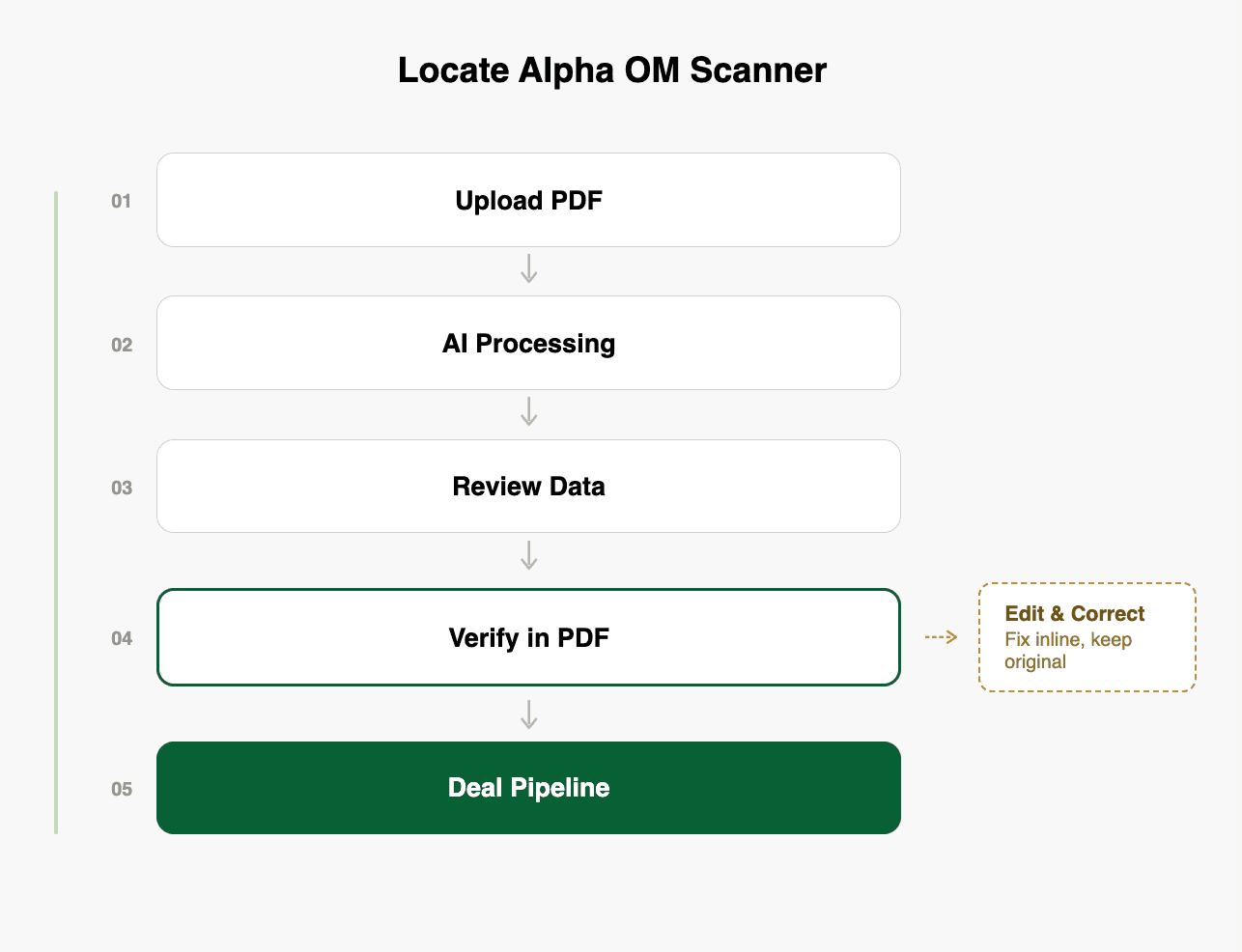
This is the feature that matters most for underwriting-ready work. Every extracted value has a clickable search icon next to it. Click it, and the viewer switches to the PDF tab, populates the search bar with that value, and highlights every match in yellow across the entire document. It jumps to the first matching page automatically, with "1 of N pages" navigation to cycle through all occurrences. Pages without matches are dimmed so results stand out.
An analyst does not need to manually scroll through 50 pages to confirm a cap rate. Click the icon, see every place that number appears in the source document, and verify it in seconds. If the number looks wrong, they can see exactly what the AI was reading and why it might have been misinterpreted.
When you extract data with a chatbot, you get numbers with zero provenance. "The cap rate is 5.25%." From where? Page 12? Page 37? The proforma assumptions or the trailing twelve months? You would have to search the document yourself to find out.
Edit any value while keeping the original
The goal is not a system that never makes mistakes. It is a system that makes corrections effortless.
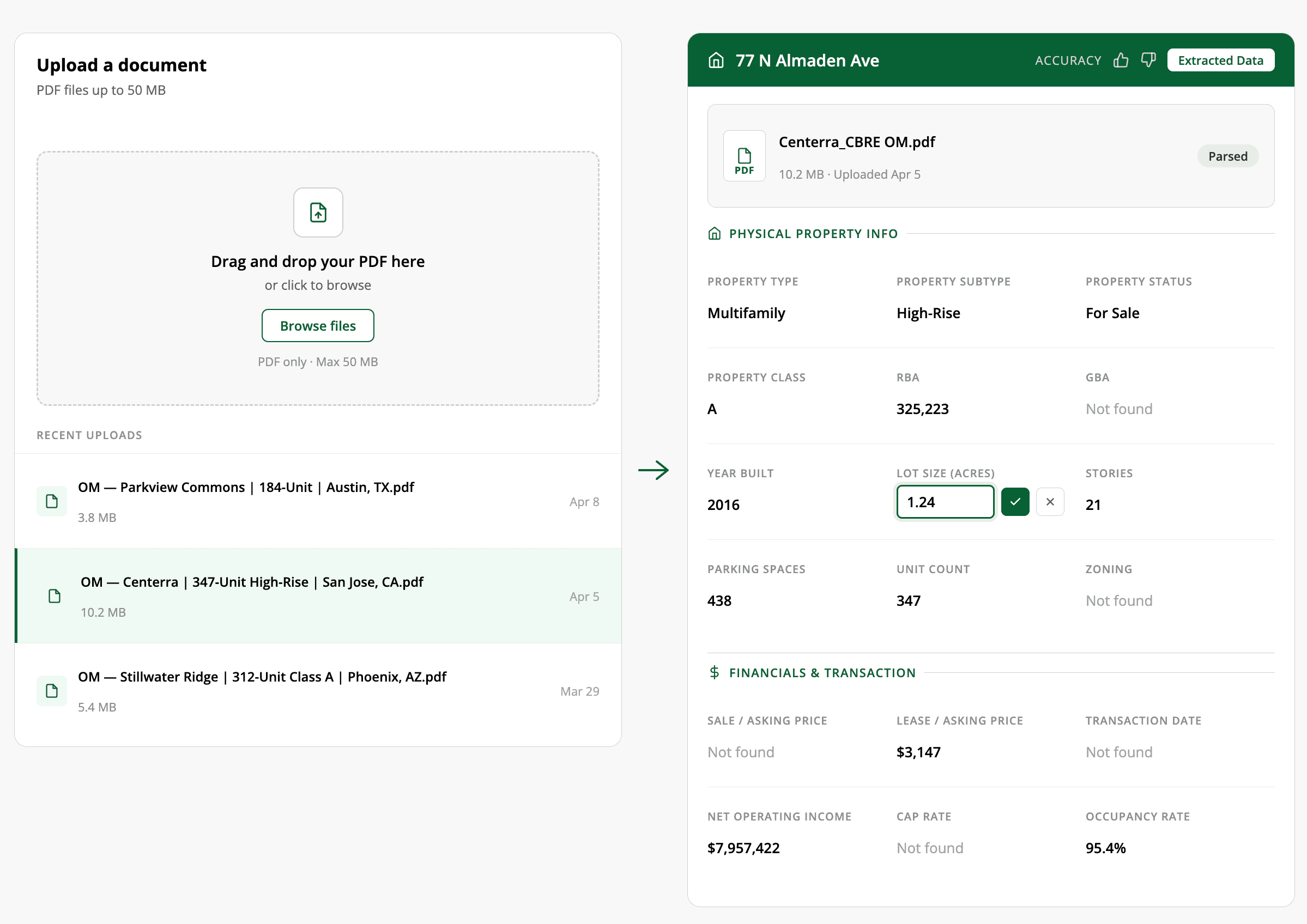
Every field supports inline editing. Hover over a value, click the pencil icon, type the correction, and save. The system stores overrides separately from the original extraction, so you always have both. Change your mind? One click to revert.
For deals where there is no PDF at all (a verbal offer, an email summary, etc) a manual entry mode provides the same structured form and the same downstream pipeline. The system works with or without a document.
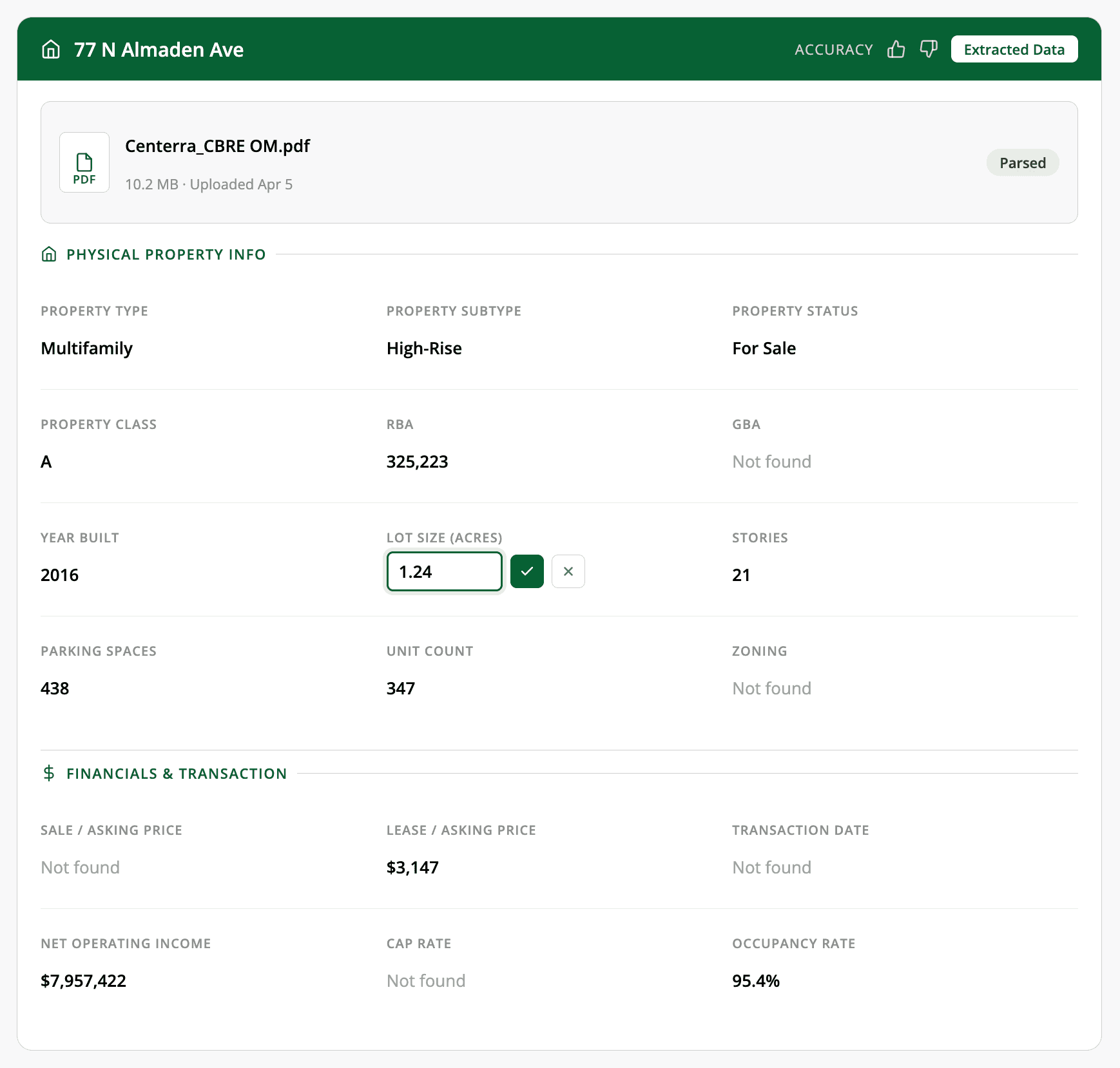
From PDF to deal pipeline in one platform
This is where the real gap opens up between a chatbot and a purpose-built system. Extraction is perhaps 10% of the value.
After upload and extraction, the property is automatically geocoded and placed on an interactive map. Analysts can view all their properties geospatially, color-coded by status: green for active deals, gray for archived or inactive. Hover over any pin to see the full extraction summary.
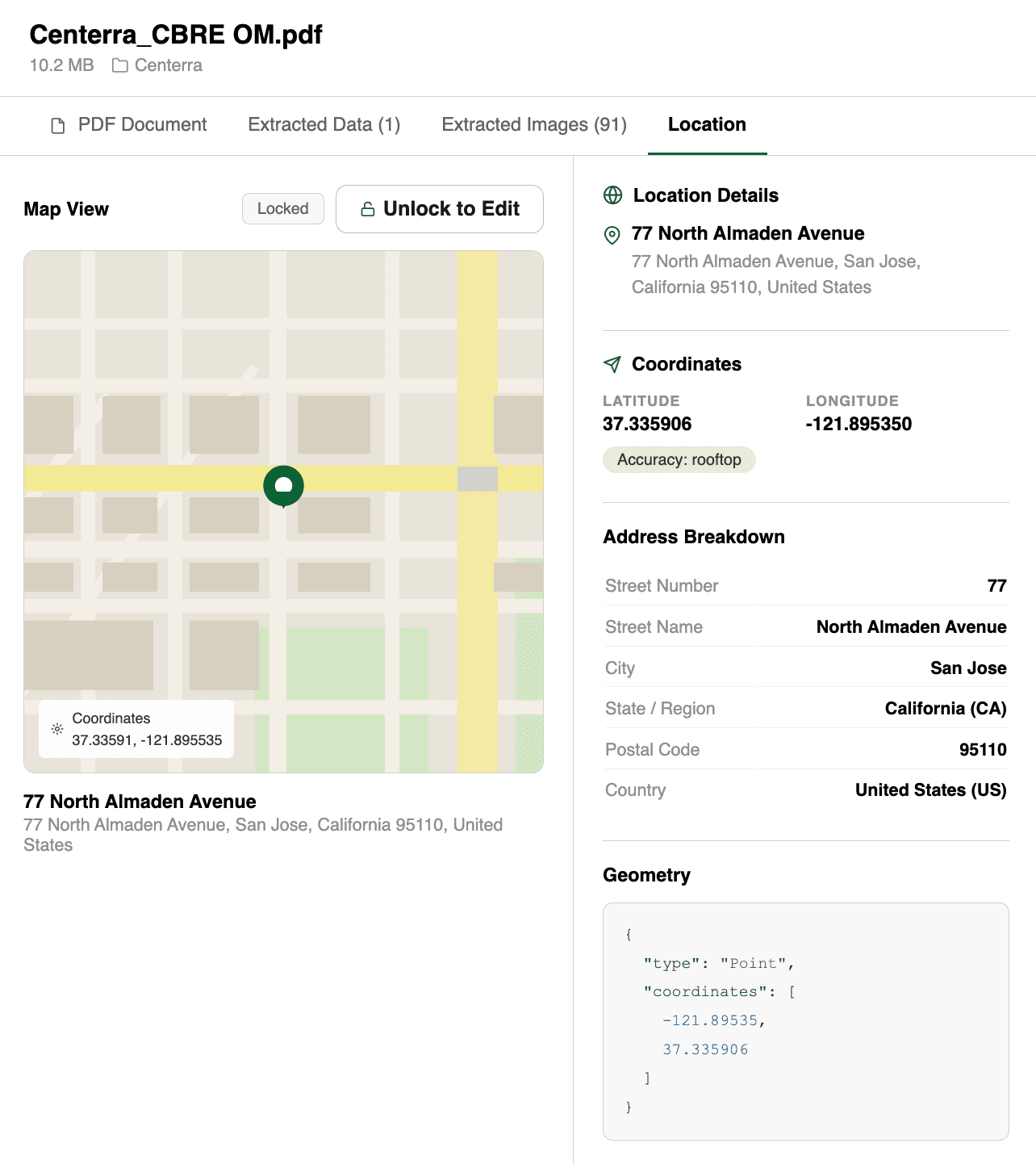
When a deal looks promising, one click converts the OM into a project. The extracted data pre-fills the project: name, location, property details, financials. From there, it flows into scenario comparison tools, underwriting workspaces, and deal pipeline tracking.
The entire journey, from "someone emailed me a PDF" to "this deal is in our pipeline with financials modeled," happens in one platform. No copy-paste. No context switching.
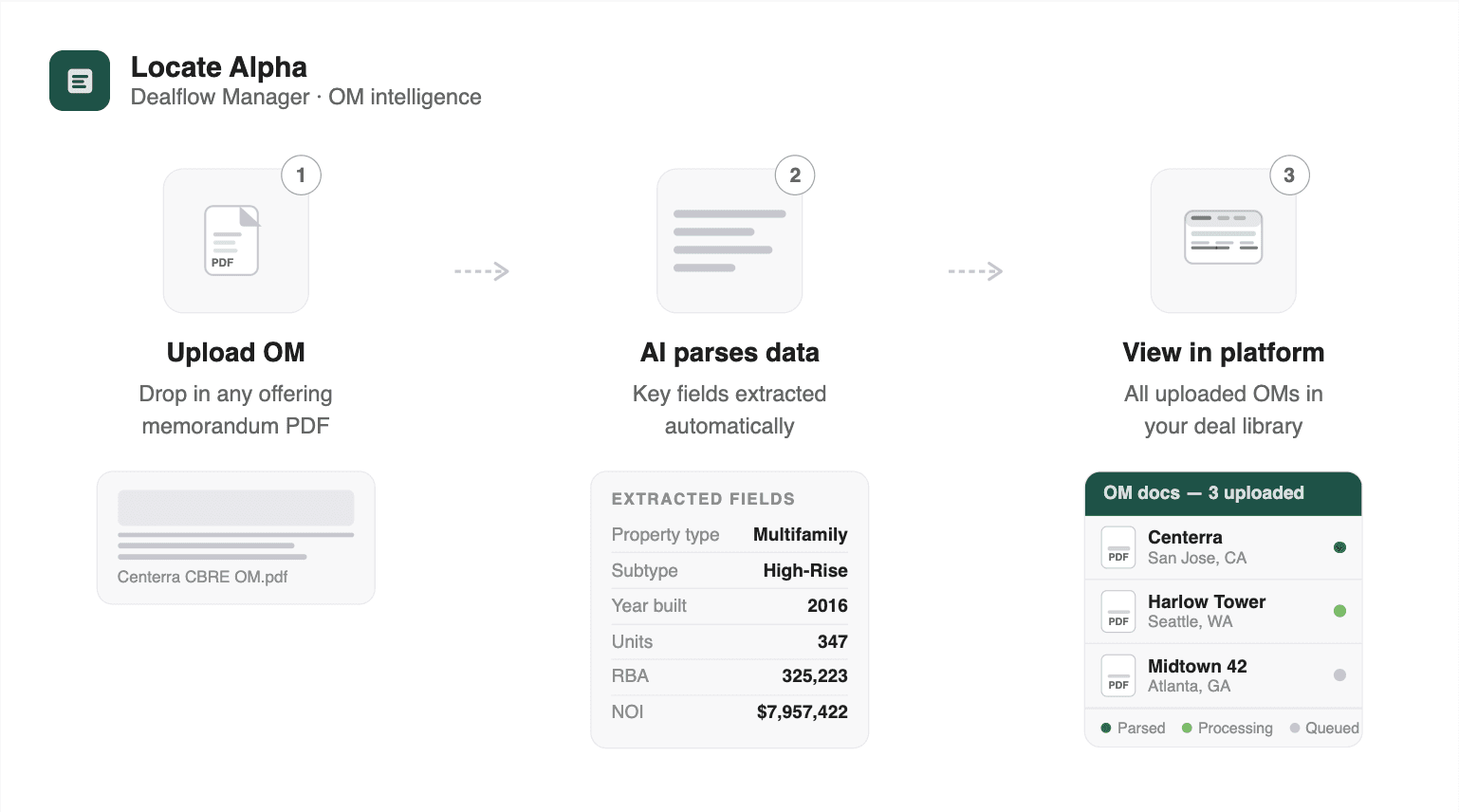
Built for teams, not individuals
A chatbot is a single-player tool. One analyst, one session, one document at a time.
The OM dashboard supports the way teams actually work. Search across all uploads by filename, organization, property status, date range, or file size. Toggle between card view and table view. Filter by processing status to catch any failed extractions. Sort by date, size, or name.
Documents auto-archive after seven days if they are not linked to a project, keeping the workspace clean without manual housekeeping. Every analyst sees their own uploads. Shared context lives at the project level.
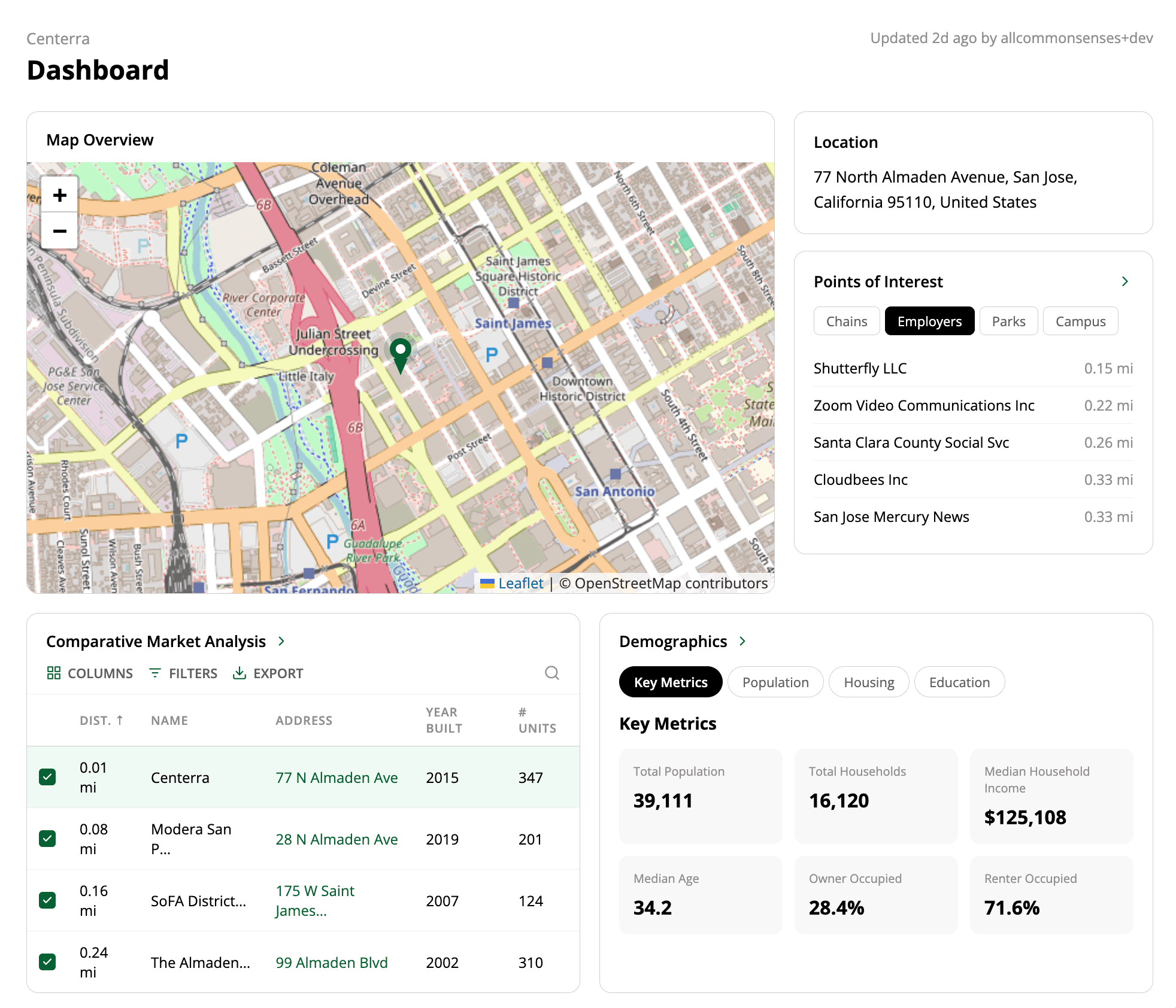
Get started
Upload an OM, wait under two minutes, and the data is structured and ready. Every value is verifiable against the source PDF in one click. Anything the system got wrong, you can edit inline and move on. When the deal looks promising, one click converts it into a project with location, financials, and property details already filled in.
From PDF to deal pipeline. No copy-paste. No reformatting. No starting from scratch.
About Locate Alpha: We help real estate investors find the perfect place to buy and invest. Our Dealflow platform lets you explore the market and form a focused investment strategy based on rich data.